Learn how to apply discounts at global, item, and invoice level.
Types of Discounts
1. Global Discount (Search Panel)
Applies to ALL products in search results. When you add items to invoice, they automatically receive this discount.
How to use: Enter percentage in the discount box above the search table. All prices update instantly.
2. Item-Level Discount (Line Items)
Applied to individual line items in the invoice.
Disc% field: Enter percentage discount
Disc Amt field: Enter amount discount
Both fields sync automatically — change one, the other updates.
Disc Amt field: Enter amount discount
Both fields sync automatically — change one, the other updates.
3. Invoice-Level Discount (Summary Section)
Applied to the entire invoice after item discounts.
Invoice Disc%: Percentage off subtotal
Invoice Disc Amt: Amount off subtotal
Both sync automatically.
Invoice Disc Amt: Amount off subtotal
Both sync automatically.
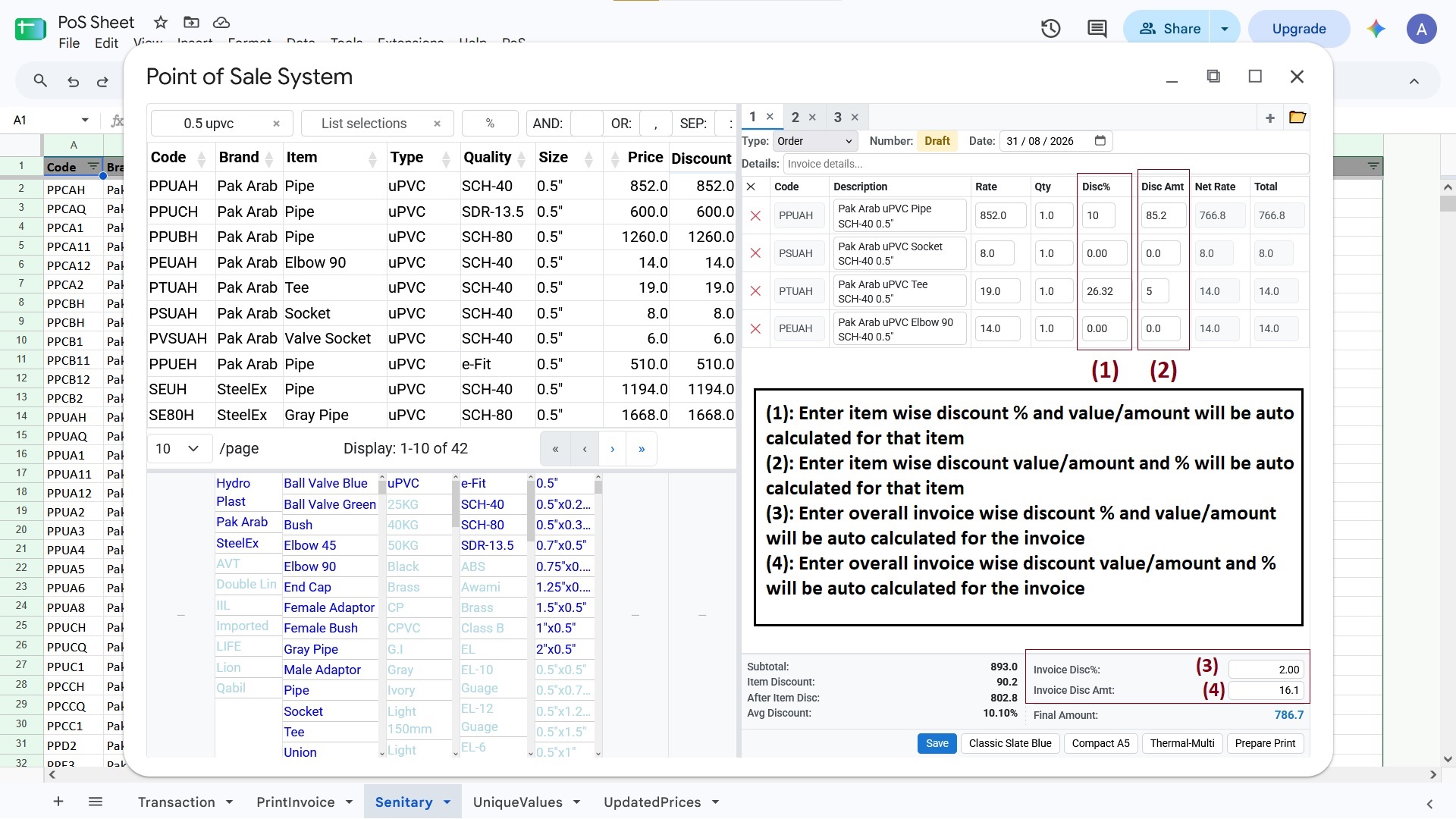
Discount controls in SheetERP POS Invoice
Calculation Flow
Step 1: Rate → (minus item Disc%) → Net Rate
Step 2: Net Rate × Qty → Row Total
Step 3: Sum of Row Totals → Subtotal
Step 4: Subtotal → (minus Invoice Disc) → Final Amount
Best Practices
- Use global discount for promotional pricing
- Use item discount for specific product deals
- Use invoice discount for bulk order savings
- Discounts stack in order: Global → Item → Invoice
Next: Learn about Saving and Loading Transactions.